Southwest Change Flight Guide With Fees and Rules
 Airline Policy
28 May, 2026
14 mins read
54
Airline Policy
28 May, 2026
14 mins read
54
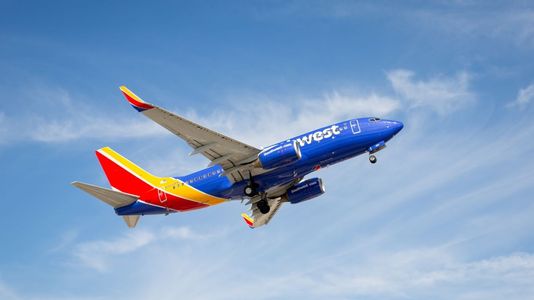
If you need to Southwest change flight details, you’ll find that the airline offers one of the most flexible and customer-friendly policies in the aviation industry as of 2026. Unlike most legacy carriers that penalize travelers for shifting plans, Southwest Airlines maintains a "no change fee" promise that empowers passengers to modify their itineraries with ease.
This comprehensive guide breaks down everything you need to know about a Southwest change flight request, including fare differences, same-day changes, and the step-by-step process for 2026.
Southwest Airlines Change Flight Policy: The 2026 Edition
Southwest’s reputation is built on transparency. Whether you are dealing with a sudden business meeting shift or a family emergency, the Southwest Airlines change flight process is designed to be stress-free.
The No-Fee Guarantee
The most critical aspect of a Southwest flight change is the cost—or lack thereof. Southwest does not charge a flat "change fee." This applies to all fare classes, from Wanna Get Away® to Business Select®.
Important Note: While there is no "fee" to change, you are still responsible for the fare difference. If your new flight costs $250 and your original was $200, you pay the $50 difference. If the new flight is cheaper, you receive a flight credit or a refund depending on your fare type.
The 10-Minute Rule
Can I change my Southwest flight at the last minute? Yes. You have until 10 minutes before your original scheduled departure to make a Southwest Airlines flight change. If you fail to change or cancel by this window, your funds may be forfeited under the "No Show" policy.
How to Change Southwest Flight: A Step-by-Step Guide
Whether you prefer using a desktop or the mobile app, the process is streamlined for 2026.
Online via Southwest.com
- Visit the official website and click on the "Change/Cancel" tab.
- Enter your Confirmation Number, First Name, and Last Name.
- Select the Southwest change flight option.
- Choose the flight segment you wish to modify.
- Search for new dates or times and select your preferred flight.
- Review the price difference and confirm.
Using the Southwest Mobile App
The app is often the fastest way to handle a Southwest date change flight.
- Log in to your Rapid Rewards® account.
- Navigate to "My Trips."
- Select the reservation and tap "Change Flight."
- Follow the prompts to select new travel details.
If you encounter technical issues or have a complex multi-passenger itinerary, you might ask, "How do I change my Southwest Airlines reservation?" in person or over the phone. For immediate assistance with complex bookings, you can contact customer support at +1 866-895-4693.
Understanding Fare Classes and Change Rights
In 2026, Southwest has updated its fare benefits. Knowing your fare type is essential before initiating a Southwest change flight request.
Fare ClassChange FeeFare DifferenceRefund Method for Lower FaresBusiness Select$0YesOriginal Form of PaymentAnytime$0YesOriginal Form of PaymentWanna Get Away Plus$0YesTransferable Flight CreditWanna Get Away$0YesNon-transferable Flight Credit
Southwest Same Day Flight Change
One of the most popular perks for "Wanna Get Away Plus," "Anytime," and "Business Select" passengers is the Southwest same day flight change.
- Confirmed Change: If there is an open seat on another flight between the same city pairs on your day of travel, you can switch without paying a fare difference.
- Same-Day Standby: If a confirmed seat isn't available, you can add yourself to the standby list via the app or at the airport.
Special Scenarios for Changing Flights
Companion Pass Changes
If you are traveling with a Companion, you cannot simply perform a Southwest change flight action on your own ticket while they are attached.
- Cancel the Companion’s reservation first.
- Change your own flight.
- Re-add the Companion to the new itinerary (provided seats are available).
Changing a Flight Booked with Points
If you used Rapid Rewards® points, a Southwest flight change is even simpler. If the new flight costs more points, the difference is deducted from your account. If it costs fewer points, the balance is instantly redeposited into your Rapid Rewards account.
Pro-Tips for a Successful Southwest Change Flight
- Monitor Prices: Since there are no fees, if you see your current flight price drop, you can "change" to the exact same flight to claim the price difference as a flight credit.
- Check-in Timing: Remember that changing your flight resets your check-in time. If you don't have EarlyBird Check-In®, you may end up with a later boarding position (like C group).
- International Flights: For international Southwest Airlines change flight requests, ensure you have at least 2 hours before departure to handle potential document verification issues.
Frequently Asked Questions (FAQs)
1. Does Southwest charge a fee to change a flight?
No, there is no Southwest change flight fee. Southwest is famous for its transparency, allowing you to change your itinerary without the $150-$200 penalties common with other airlines. You only pay the difference in the ticket price.
2. Can I change my Southwest flight to a different city?
Yes. You can change your origin or destination airport. However, keep in mind that changing a "short-haul" flight to a "long-haul" flight will likely result in a significant fare difference.
3. How many times can I change my flight on Southwest?
There is no limit to how many times you can perform a Southwest change flight action. As long as you make the change at least 10 minutes before departure, you can keep adjusting your plans as needed.
4. What happens if the new flight is cheaper?
If you booked a refundable fare (Business Select or Anytime), the difference is refunded to your original payment method. For Wanna Get Away fares, the difference is issued as a Southwest flight credit which never expires.
5. Is same-day standby free for everyone?
As of 2026, Southwest same day flight change and standby benefits are included for Wanna Get Away Plus, Anytime, and Business Select fares. Standard Wanna Get Away passengers may need to pay a fare difference to upgrade to a confirmed same-day change.
6. Can I change my flight at the airport?
Yes, you can visit a Southwest kiosk or speak with an agent at the "Full Service" counter. However, using the app for a Southwest Airlines flight change is usually faster and allows you to see all available options in real-time.
Written By:
Airline Policy

Hotels at your convenience
Now choose your stay according to your preference. From finding a place for your dream destination or a mere weekend getaway to business accommodations or brief stay, we have got you covered. Explore hotels as per your mood.